Ever ask yourself how your phone scans documents or identifies faces on social media? It's computer vision, training computers to see and understand the visual world. This may get complicated, but its basic concepts will be easily explained using a common Sudoku solution. Through this guide, I will demonstrate how a machine identifies the grid, recognizes the numbers, and ultimately finds the answer to these numbers through non-codification.
What is Computer Vision?
Computer vision is an area of AI that allows computers and systems to extract meaningful insights using digital images, videos, and other visual data. It then proceeds to act or recommend based on such information. Providing computers with the capability to think equates to providing computers with sight, observation, and comprehension.
Imagine educating a toddler to identify items. You present them with an image of a cat and say, 'cat.' Having viewed numerous other pictures of cats, they then know that it is a cat regardless of the breed, colour, and angle. Computer vision operates on a larger scale, analyzing thousands or millions of images and learning patterns and characteristics.
Solving Sudoku with Computer Vision: A Step-by-Step Guide
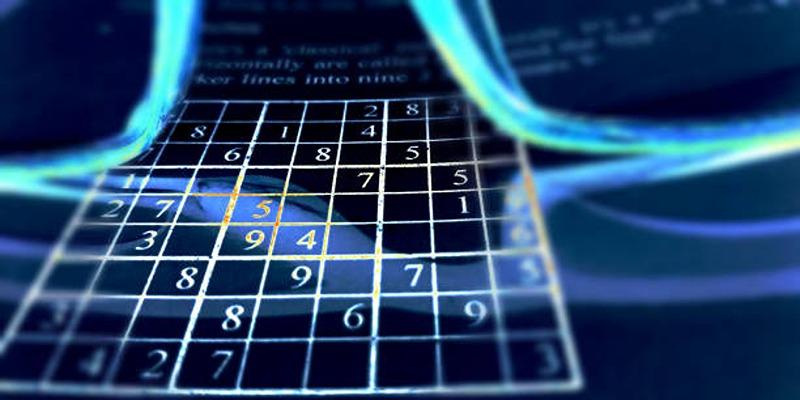
A Sudoku puzzle, a problem that is ideal and complete in itself, would serve well to explain the nature of computer vision. The intention is obvious: learn the grid, understand the numbers that are already in place, and determine where the missing numbers have gone. Let's examine how a computer would approach this task.
Step 1: Finding the Sudoku Grid
To find a solution to the problem, a computer must search through an image before locating the puzzle. Suppose you have taken a picture of a Sudoku that you have found in a newspaper. The image may be shot obliquely, with shadows, and include portions of the surrounding page.
The computer vision system must first find the Sudoku grid in the center of this larger board.
Image Pre-processing
The machine begins with the preparation of the image. This usually means translating it into grayscale (black and white) to simplify the visual data. Without the distraction of color, edges and shapes can be more readily discovered. The system may also filter out the blur effect. It seems counterintuitive, but a small amount of blurring can be used to balance subtle flaws and noise, such as the texture of the paper, with the major lines on the upright grid, even making them more prominent.
Edge Detection
Then, the computer applies an algorithm to all the edges within the blurred, grayscale image. It seeks points of sharpness in brightness, such as the border of a black line and a white square. What is left behind is a bone outline of all that is in the picture, the puzzle grid, numbers, and any other text or pattern.
Contour Finding
Once the edges have been determined, the system then seeks closed shapes, also known as contours. It tries to find the biggest, most salient square-type object in the No after which it is nearly always our Sudoku board. It closes the four angles of this form.
Perspective Transformation
As this photo was likely taken at an angle, the grid will not appear normal. The four corners nearby that the system has just discovered are used to un-distort the image. It then stretches and bends a puzzle region on a scan in a digital manner, so that a significantly larger square region appears on the scan as a demystified, perfectly flat square. This operation is commonly referred to as a Birds-eye view transformation, and plays a key role in an exact analysis of the cell's interior.
Step 2: Isolating Each Cell and Number
At this point, since we have a pure, square picture of the Sudoku grid, we will consider the 81 cells separately.
The system is aware that a Sudoku grid is always 9x9. It just breaks the square image of the puzzle into an 81-cell grid. It then examines each cell one after another. The aim is to determine whether a number is present or absent in a cell.
The computer vision model centers on the center of every cell. It disregards the contours of the cell to exclude by chance some of the grid lines. When the adjacent region of a cell is largely raw (i.e., of one color), it will be indicated as blank. When there are strong irregularities in pixel intensity (which is ink), the system concludes that a digit is present in the cell.
Step 3: Recognizing the Digits
That is where the intelligence of AI actually comes into play. In every cell that the system has determined to be one of those containing a digit, it must now decide what kind of digit it is (between 1 and 9). This is an archetypal classification problem.
Training a Model
To accomplish this, the computer has to be trained. It reveals thousands and thousands of photographs of written or printed numbers. The appropriate digit is put on each picture. In fact, it observes 10,000 various images of the number 7. It gets trained on the general features of a 7, including a horizontal line on the surface and its intersection with a diagonal line. This is termed machine learning. The example produced is a trained model that can recognize digits.
Making a Prediction
Sudoku is handed over to the computer, which takes a small picture of the digit in every single cell and presents it to the trained model. The model breaks down the pixels and learns which number it is most likely to be. An example is to selectively examine a cell and determine with a 95% probability that it is a 5, with a 3% possibility that it is a 6, and so forth. It selects the digit with the highest probability.
This process is repeated with all non-empty cells in the system until the system reaches a complete digital representation of the puzzle's starting state.
Step 4: Solving the Puzzle and Displaying the Solution
Once the computer has successfully identified all the given numbers and their positions, the computer vision part of the task is mostly done. The problem now shifts to a logic puzzle. A separate algorithm, known as a Sudoku solver, takes the digital grid and uses logical rules to find the missing numbers. This happens incredibly fast, often in a fraction of a second.
The final step is to present the solution. The computer could simply display the completed grid on the screen. Or, in a more advanced application (like an augmented reality app), it could take the original image, use the corner points it found in Step 1, and overlay the solution numbers directly onto the empty squares of the puzzle in the photo.
Conclusion
Sudoku makes computer vision simpler, and at its very root lie object recognition, feature isolation, and classification, which are the primary causes of advanced applications. Computer vision is transforming industries, with self-driving cars that recognize traffic signs to medical systems that spot tumors. It helps smartphones recognize faces, sort factory defects, and aircraft monitor their crops. The opportunities that computers can see and realize will broaden as AI models grow more powerful and readily available.